Help
Plans and billing
Keptly bills through Shopify, on your store's regular bill. There is no separate card to keep on file and no cut of your payments.
- See your plan on Today, in the side column. "Change plan" there opens Keptly's plan page, with what each plan includes.
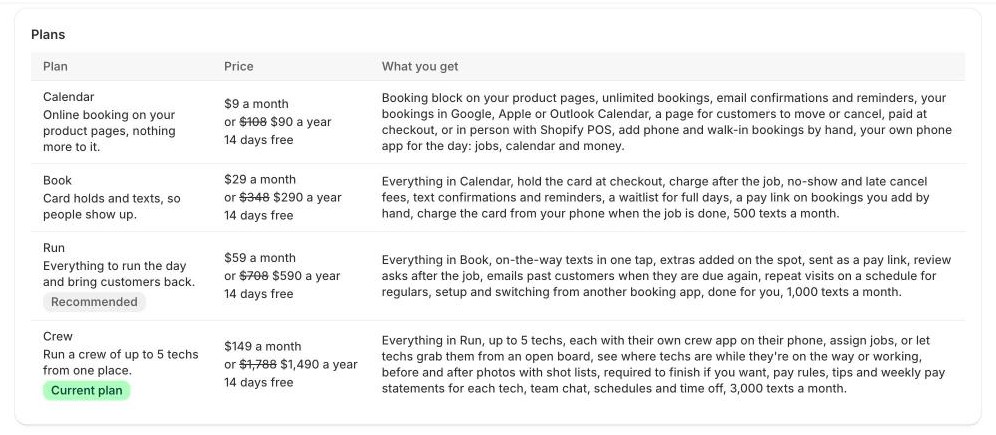
- Click "Change plan" on that page. Shopify's plan page opens. Pick the new plan and approve it.
- Moving up starts right away, and Shopify credits the unused part of your old plan. A move to a cheaper plan can start at your next billing date.
Related: Install KeptlyUninstall and your data
Still stuck? Contact support or email hello@keptlyapp.com. A person replies within two hours, 8 am to 8 pm Central, every day of the week.