Pay links
On the Book plan and up
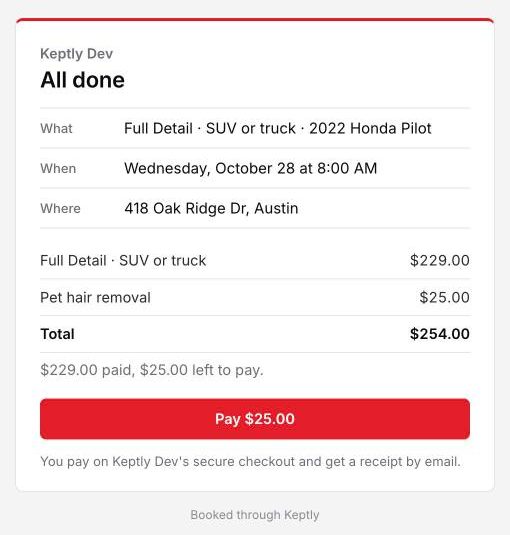
A pay link is a Shopify checkout for the amount still owed. It lives on the customer's booking page, so every message Keptly sends already leads to it.
- Bookings you add by hand: in Jobs, click "Add a booking" and leave "How they pay" on Online. The booking page gets a Pay button right away. (Every plan can add a booking by hand; on Calendar it is paid in person.)
- Extras and balances (Run and up): when you mark a job done with more than the hold covers, Keptly sends the pay link with the receipt.
- To send it again, open the job and click "Send the pay link again" under Money.
- When they pay, the job shows the amount and the date under Money, and the order appears in Shopify.
Still stuck? Contact support or email hello@keptlyapp.com. A person replies within two hours, 8 am to 8 pm Central, every day of the week.