The crew app for your techs
On the Crew plan
Each tech gets a private link that opens the crew app on their phone. It shows their jobs for the day and the week ahead, with the same buttons you have: on the way, arrived, start, done with extras. You choose what else is in it: photos, checklists, an open board, team chat and pay.
- In Keptly, open Team and click "Add a tech". Add their name, mobile phone and max jobs a day, then click Add. Different hours? Click Edit next to their name and tick "Works different hours than the store".
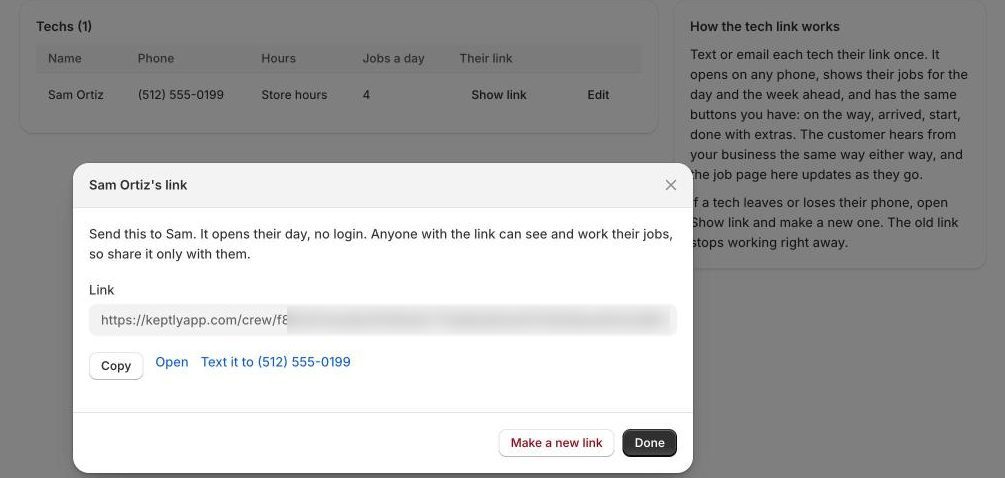
- Click "Show link" next to their name, then Copy, and text it to them. "Open" shows you exactly what they see. On their phone they can add it to the home screen, so it opens like any app.
- Under "Their app", click "Set up the crew app". Give it your name and color, pick your own words for a tech and a job, and choose what each service comes with: photos, a checklist, what to pack and the texts a tech can send in one tap.
- In the same place, under "Getting jobs to your team", pick how new bookings reach them: you pick the tech yourself, "Whoever is free", or "Open board", where the first tech to take a job gets it.
- To assign a booking yourself, open its job page: under "Tech", pick them in "Assigned to". The booking form only offers times when one of your techs is free.
- Lost phone or someone left? Open "Show link" and click "Make a new link". The old one stops working right away.
Still stuck? Contact support or email hello@keptlyapp.com. A person replies within two hours, 8 am to 8 pm Central, every day of the week.