Hold cards and set Manual capture
On the Book plan and up
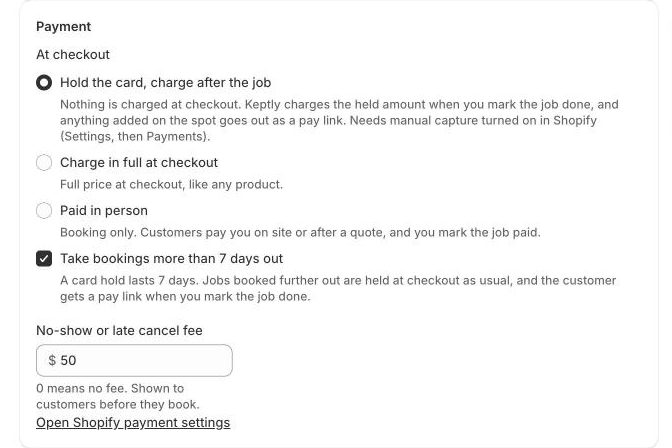
With a hold, nothing is charged at checkout. Shopify reserves the amount on the card, and Keptly charges it when you mark the job done. On Run and up, anything added on the spot goes out as a pay link. This needs one Shopify setting.
- In Keptly, open Settings (or setup step 4) and pick "Hold the card, charge after the job". Click Save.
- In your Shopify admin, open Settings, then Payments, then "Payment capture method".
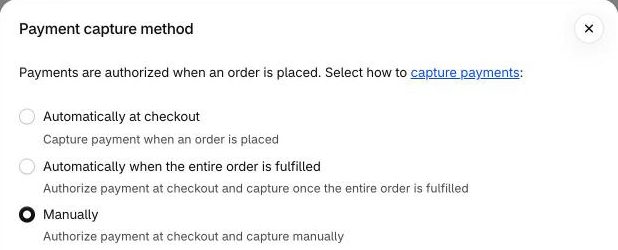
- Choose "Manually" and save. If you also ship products, choose "Automatically when the entire order is fulfilled" instead: shipped orders are charged when you fulfil them, and bookings when you mark the job done.
- Book a test visit on your storefront. On the job in Keptly, the payment line should say "Card held".
Still stuck? Contact support or email hello@keptlyapp.com. A person replies within two hours, 8 am to 8 pm Central, every day of the week.